
FRAGRANCE-rosevines brushes

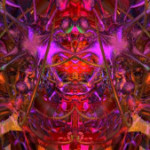
Sixty eight big, beautiful and stylish Photoshop Brushes of rose vines.
I have been often asked how I produce varying colors in a single brush (es). It is just not possible by using color overlays. It is simply a matter of applying color variation (Image>adjustments>color variation) and using various selection options with feathering tool for that matter. So no great techniques involved, though, certainly a test of your creative skills.
What's Included and Features
68 High resolution Photoshop Brushes (.ABR)
Unique in style and design
Notes
This Product Requires Photoshop 7 or Higher

[member]
[/member]
Request to unfreeze file (404 Not Found)
You must be logged in to post a comment.