
Sublime Actions Light Effects

Special care was taken with the actions in this set to allow you room to play with, combine, and add your own methods after applying the actions so that you can post work your images in a way that makes them stand out.
Spending hours in Poser rendering images over and over again under assorted lights looking for the perfect lighting set up has left me staring at Poser for endless hours waiting for a HUGE lighting set added to my scene to render. it occured to me, that there are people that use Poser, or D|S that are unable to afford the large (costly) light sets, and some while they can afford it - their system just cant handle such intensive renders.
The solution? Postwork.
I have created a simple set of lights, two infinite lights for Poser than you can use to render your initial image, and then use the Sublime Action Light Effects actions to postwork light into your image.
You are just a few clicks away from shedding light on your scene.
The best part is that you can mix the effects, use them in conjunction with other actions, or your own post work methods to come up with literally hundreds of deviations on ways to post work your image.
As an added bonus, I have also written a small tutorial on some of my own post working methods. You can find this tutorial in a folder inside the zip with the images included.
You will receive 4 collections of actions.
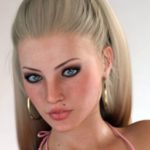
Portrait - these actions work best on close up portrait type art, and special care was taken to make your image "pop out" to the viewer once the action has been applied.
Standing - these actions work best on images where the main subject is in a standing pose, the lights are up, down, and angled to certain areas of the standing element. You can combine these with other actions to create an even wider post work base for your finished image.
Sitting - these actions work best on images where the main subject or element is in a sitting, or semi sitting pose.
Toon Effects - these actions are small simple toony effects, that will enhance the light in the scene, but they will alter the original image greatly.

[member]
[/member]
Request to unfreeze file (404 Not Found)
You must be logged in to post a comment.